Applications are the most useful and visible asset in Panaptic. They provide an interactive interface for users to view data and perform actions.
You make applications by instructing the agent on what you need.
Before building a new application you would usually have a data source already available. This might be some CSV files, an API service, or a connection to a database or data warehouse. Having a data source available before making an application can help the agent make good choices on how to structure the user interface
When you’re ready, ask the agent to make the application you need. You don’t need to be specific - simply tell it the data sources, and what kind of behaviour you’re after. Provide details that matter to you, but otherwise you can let the agent determine appropriate choices.
Make an application that connects to the Northwind data source and gives appropriate dashboard of most useful and apporopriate information.The ‘Applications’ App
From your main user session, you can launch the ‘Applications’ app to list all applications available to you.

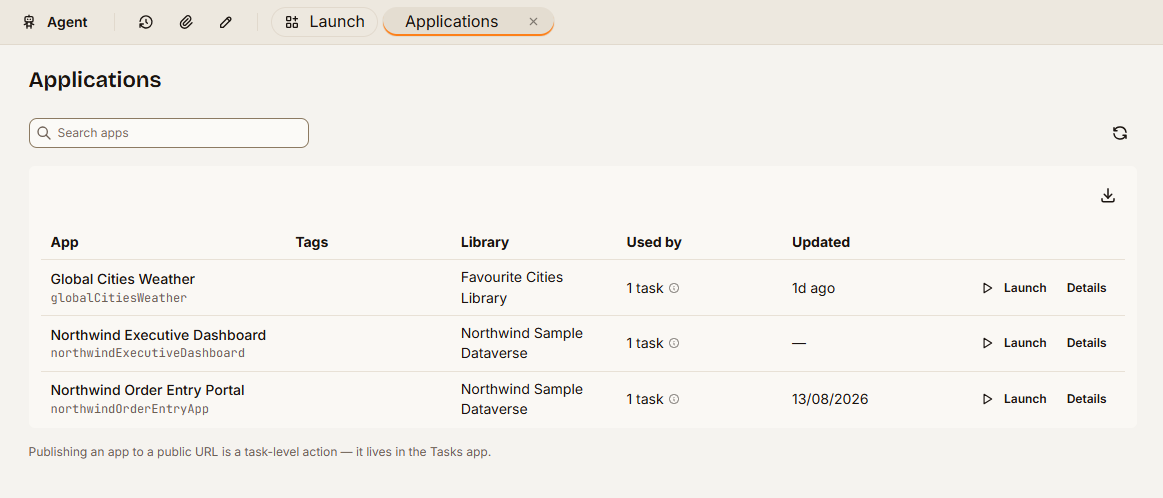
From here you can launch the application in the current session.
Click Details to see more details for the selected app:
- Tags. You can add custom tags to the asset, to keep track of resources.
- Source. You can view the source code of the generated application.
- Version history. You can see each incremental change made to the app.
- Click ‘Diff’ to see how the source code changed between versions.
- Click ‘Restore’ to revert the application to an earlier version. A restored version is placed on top as a new version - subsequent versions remain in the history.
- Remove app. Removing an app stops it from being used. It can be restored later if required.
App Suites
When constructing your application, Panaptic works best by building multiple apps that work together to provide your overall solution.
With App Suites, you can keep multiple apps bundled together, making it easier to re-use apps from multiple launch scenarios.
For example, you can have one app that lists customers, and another app that shows details of a single customer. Clicking a customer in the list will launch the customer details app. But also, that same customer detail view can be launched from a separate dashboard.
This is possible in Panaptic because apps can be launched with context parameters. For example, the customer ID to show.
App Permissions
Applications have access to platform operations that are imported into the application when it was built. This means it has potential to access operations that would otherwise be restricted to an end user (but only within the context of the Application).