This quickstart gets you to your first application as fast as possible. In this guide, we will:
- Create an application prototype that fetches data from APIs
- Enhance the application to access some user input that is saved to a data space
- Deploy the application to other team members
Steps
-
Create a prototype app
To begin, open Panaptic to show The Agent.
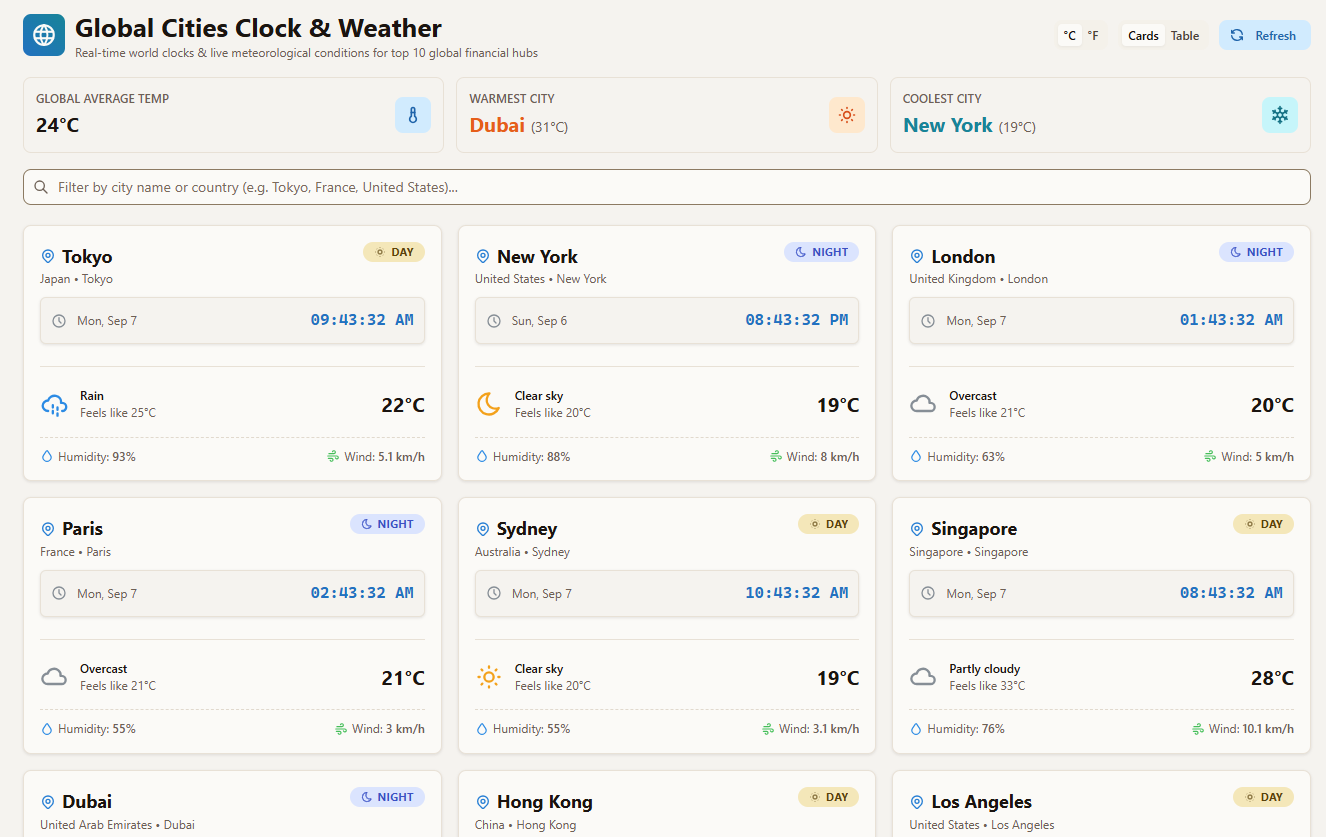
Enter a brief explanation of the app you want to build. In this example, we create an app that lists cities and their current time and weather:
Create an app that lists top 10 global cities and their current time and weather.This will take a few minutes to complete. You will then have an app that fetches weather data from a public API. It may look similar to this:
-
Capture some data
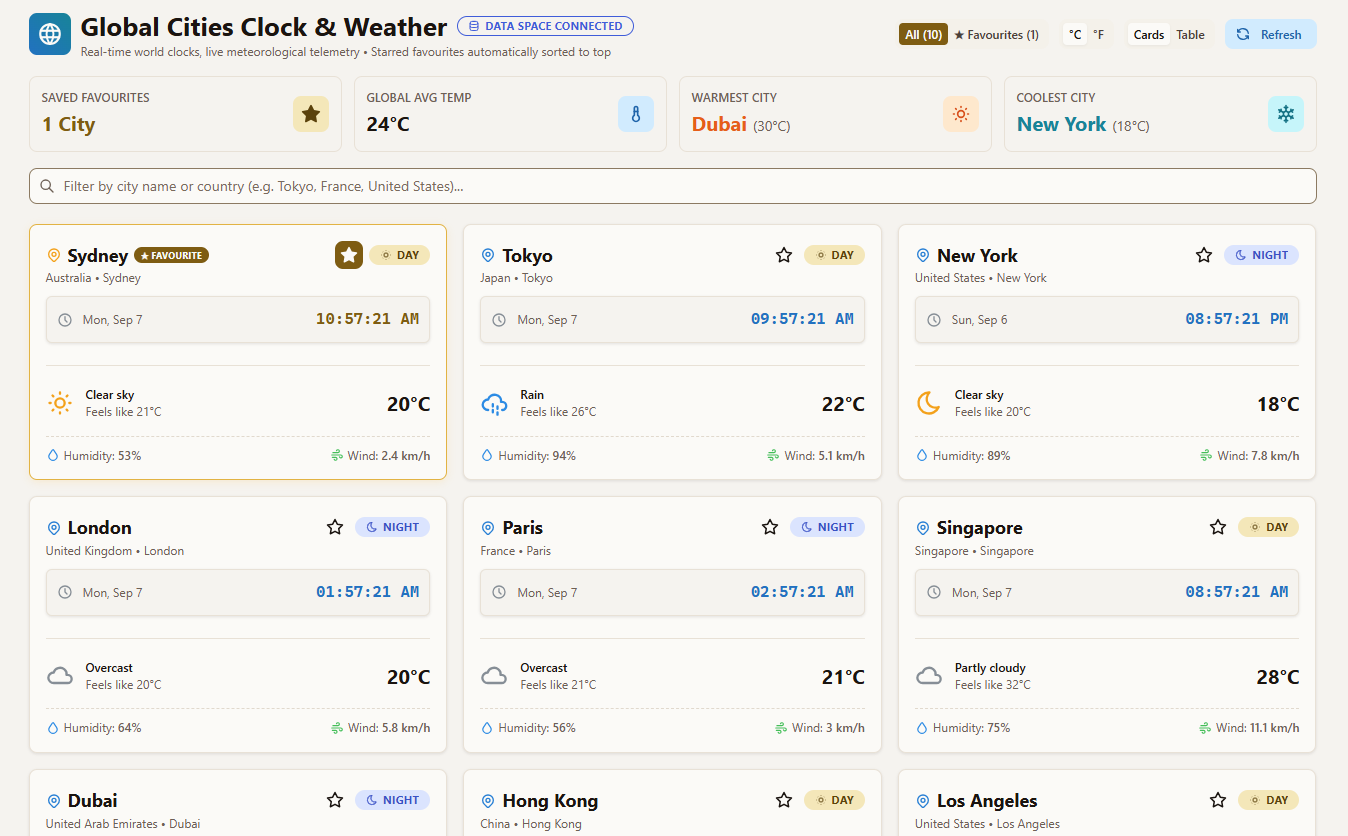
Edit the app to allow the user to select their favourite cities. We can capture this to a data space so that the app remembers the selection between sessions:
Add an option to select my favourite cities, saved to a data space.
Favoured cities should appear first in the list.
This will take a few more minutes to complete. Once done you can select your favourite cities. More importantly, selections are saved to a custom data space so that favourites are remembered between sessions:
-
Publish the app
Right now, the app is a prototype that is only available to you.
To make it available to other users, you need to publish it as a scaffolded app:
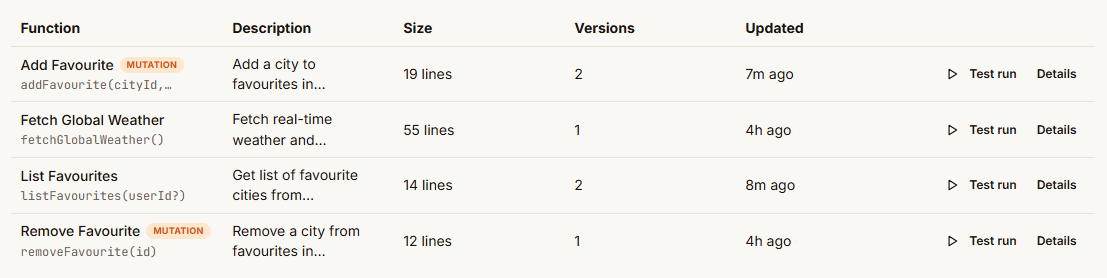
Scaffold the prototype into a library app called 'Global Cities Weather'.This will finalise the app. In the process, the agent will likely make several code functions to help manage the code.
Next, you need to create a Task that imports the app:
Create a Task called 'Favourite Cities' and import the app and data space. The task should not allow the Agent.You can see the new Task in the ‘New Task Tab’:

-
Deploy to your team
Now that there’s a task holding your app, you can issue the Task to other users:
Make the task available to user 'bob@my-company.com'In this example, Bob can now launch the app from their own session.
Summary
In this guide you:
- Created an app with “Create an app that…”
- Published the app with “Scaffold the prototype into a library app…”
- Made into a task with “Create a Task…” and “Import the app and data space.”
- Deploy to your team with “Make the task available to…”
The assets created include:
-
The app (contained within a new app library)

-
Several code functions (contained within a new Code Library)
-
A connection to the weather service API:

-
A data space

-
And a task

What’s next?
You’ve shipped something — now make it yours.