Tasks and Task Runs
A Task provides both the user-interface surface and an execution environment for performing operations in Panaptic.
Initially, a Task is merely a definition. It defines which Apps, Operations and other assets the Task can use, and can also define permissions to restrict its use to specific users or situations.
Once a Task is defined, it can then be executed. This creates an instance of the Task, called a Task Run. A Task Run shows the user interface and provides a safe operating environment dedicated for a Task. Tasks can be executed many time, each time providing a new Run and isolated instance.

Workspaces
When you start with Panaptic, the user interface you first see is a special Task called a Workspace. Workspaces are simply the default Task used by users when they sign in to Panaptic.
Workspaces can be assigned to Users or Groups. If you want to restrict particular users to only access a specific Task, you might create a group for those users then assign the Task to the Group as its startup workspace.
Startup Code
Tasks are capable of executing code upon startup, similar to a Code Function. An example might be to ensure a specific Application is launched whenever the Task is executed.
Published Apps
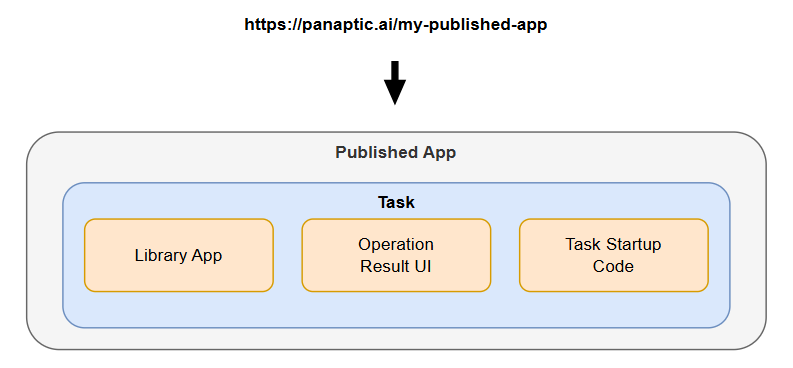
Tasks can be made publicly available outside the Panaptic user environment. These are called Published Apps and receive a special URL to access it directly.
Published Apps can optionally be protected by a passcode.
The user-interface surface presented by a Published App is usually defined by an Application asset, but not always. Tasks can present a user-interface surface in three ways, and all are compatible with a Published App: a regular Application (sometimes called a Library Application), a Tasks own Startup Code, or the result-UI generated by an Operation.