The main visible area of the Panaptic platform is the Operation Panel, which shows the state of a single operation.
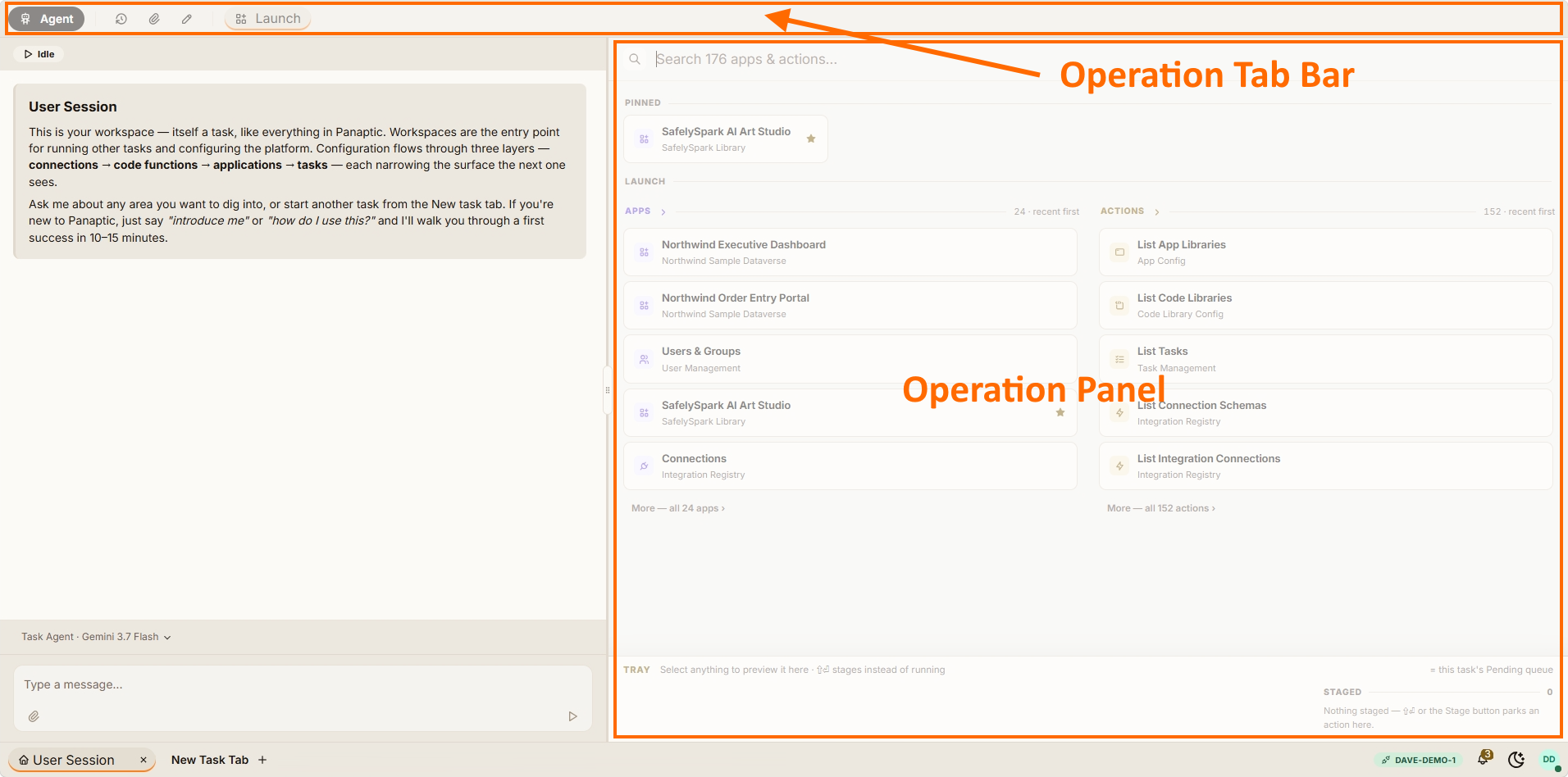
There are several different types of operation that may appears in the operation panel:
- Applications
- Actions
- Data results
Each can be displayed as an operation and interacted with in different ways.
Applications
An application is a fully interactive, custom built experience. Panaptic comes with several built-in applications, but mostly your users will build their own applications to suit their specific needs.
For more on Applications, see: Applications
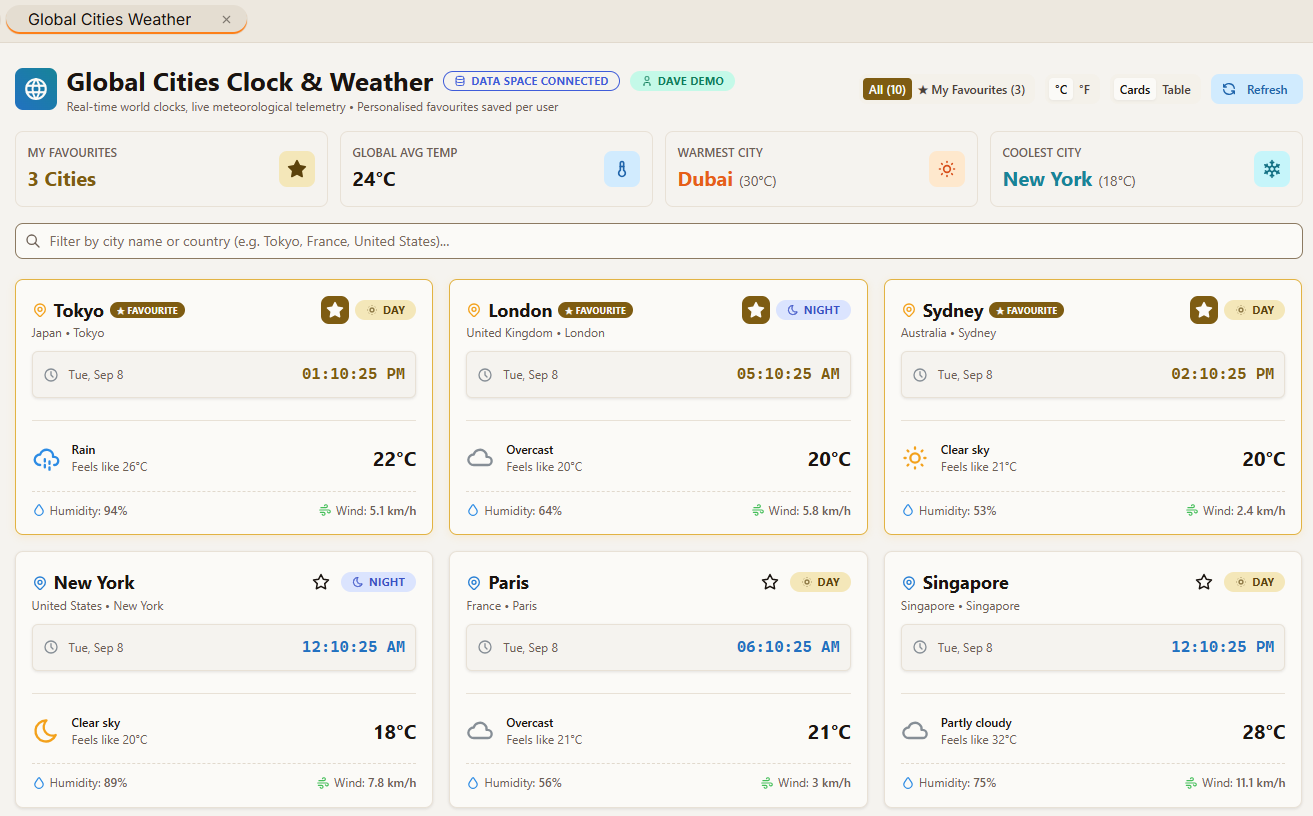
Example application that shows weather for global cities.
Actions
Actions are single-use operations that perform one activity and show a result. When an action is shown in the operation panel, it will show the output and input to the action.
Actions can be executed by users, but usually they are executed automatically by the agent when completing a goal.
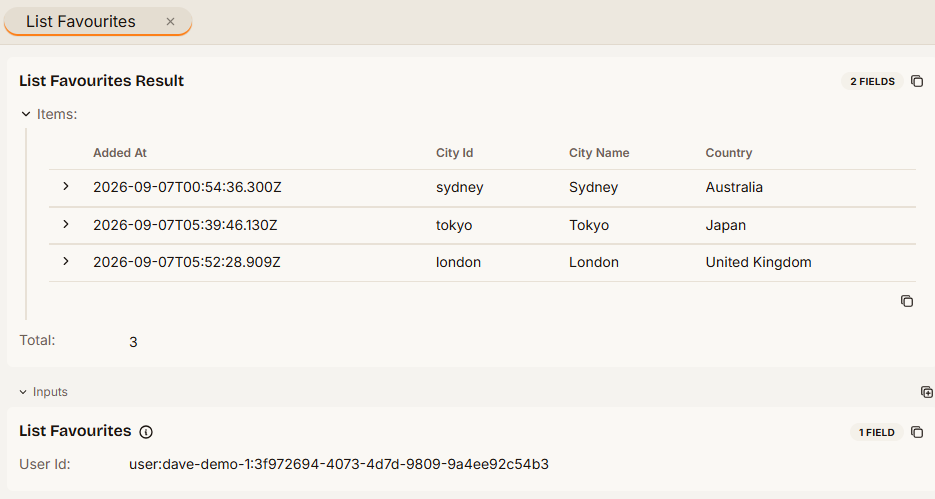
Example of an action that lists favored cities for a single user.
A full list of available actions can be seen on the Operation Launch Panel.
Data results
In some cases, it is possible to view a single data result in the operation panel. This is not usual, as most times data will be represented by an application or action in a more formal way. But occasionally, it’s helpful to show a data result on its own.
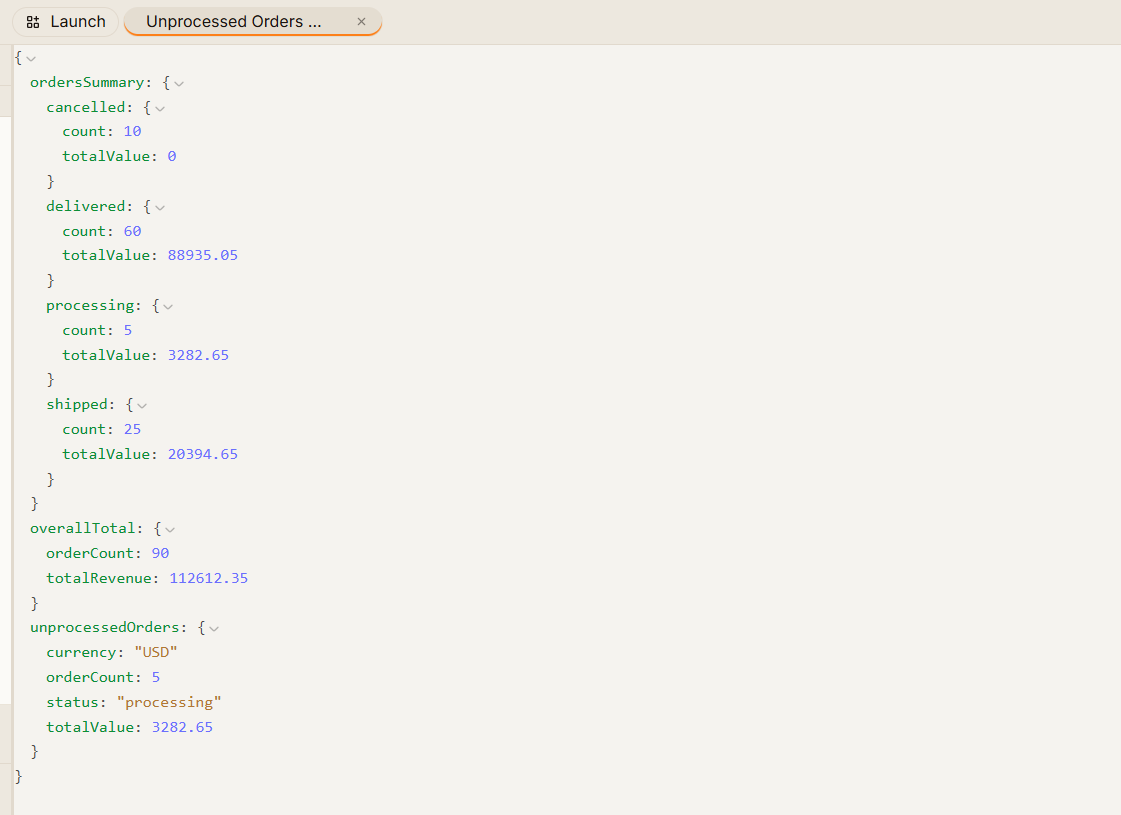
Example of a data view in the operations panel.
Operation Tab Bar
Operations can be ‘open’, which means they appear on Operation Tab Bar across the top of the screen.

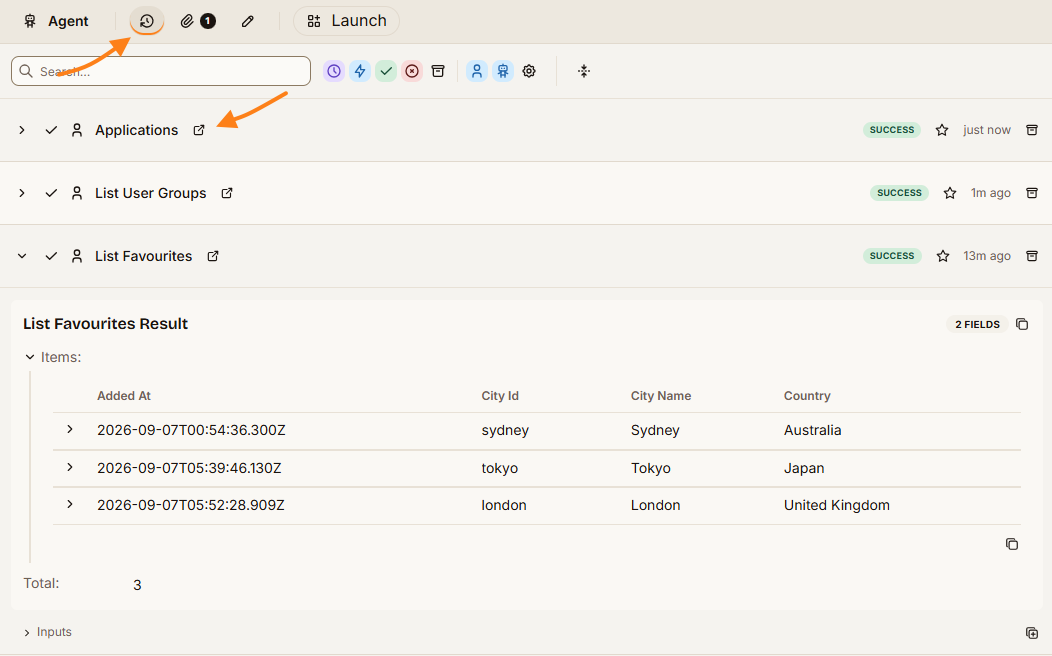
When an operation tab is closed it is not gone forever. To open any previous operation, open the History view, find the operation you need, and click ‘Open operation in new tab’ button.